How Do You Keep Business Listings Accurate After a Rebrand or Move?
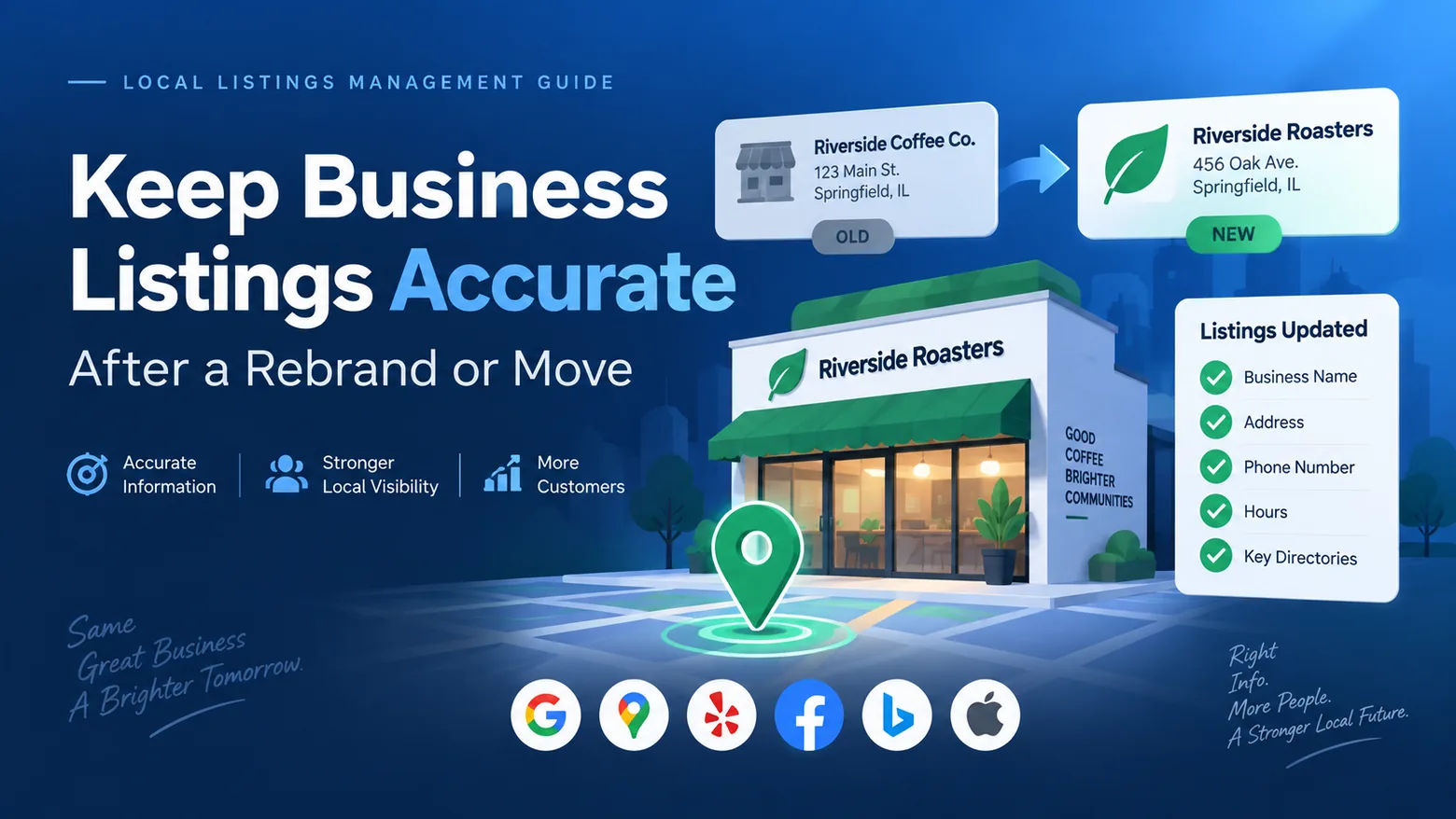
A business rebrand or relocation can leave several versions of the same company online. Google may display the new address while an older directory still has the previous location. Apple Maps may have the correct phone number but old hours. Yelp may need to decide whether a significant move should update the current page or create a new one.
This is where business listings management becomes important.
The practical goal is to create one approved record for every location, use it as the source for every update, correct the platforms customers actually use, then keep checking until outdated information stops appearing.
That record should contain more than basic NAP, meaning name, address, and phone number. It should include your URL, hours, categories, business status, map coordinates, services, attributes, store code, and other location information.
Google says complete and accurate information can improve a business’s ability to appear for relevant local searches. It also states that local results are mainly based on relevance, distance, and prominence. Accurate listings support that process, but they do not guarantee rankings. (Google Business Profile Help)
For a broader campaign review, use the Local SEO Checklist alongside this migration process.
Quick answer: How do you keep business listings accurate after a rebrand or move?
Create a master location record first. Update your website and location pages so they clearly show the new information. Then update Google Business Profile, Apple Maps, Bing, Yelp, Facebook, major data providers, and important industry directories.
Do not create additional profiles simply because editing the current listing seems difficult. On Google, there should generally be one Business Profile per business, and you should handle a move by updating the address on the existing profile. Google states that a verified business moving to a new address must verify the business again. (Google Business Profile Help)
A rebrand requires a separate decision. Google allows an eligible rebrand to update the current profile when the change meets its rebranding criteria. If the change does not qualify and represents a new business, Google instructs the company to mark the existing profile closed and create a new Business Profile.
After submitting changes, verify what customers actually see. Do another check after several days, then continue checking throughout the following weeks. Google notes that most Business Profile edits review quickly, but some can remain pending for up to 30 days. (Google Business Profile Help)
What is business listing accuracy?
Business listing accuracy means the information published about a location correctly reflects the real business.
For example, imagine a company previously operated as:
Parkside Dental
1280 West Street
Denver, CO
(303) 555-0188
It rebrands and moves to:
Peak Dental Group
920 Market Avenue
Denver, CO
(303) 555-0144
A successful migration does not end when Google shows the new address. You also need to check whether the former name, address, and phone number remain on Bing, Apple Maps, Yelp, Facebook, healthcare directories, review sites, old location pages, social profiles, and other citations.
Your source-of-truth record should include:
| Field | What should be controlled |
|---|---|
| Business name | Exact real-world name |
| Address | Street, suite, city, state, ZIP |
| Phone | Primary location phone |
| URL | Correct location landing page |
| Regular hours | Normal operating schedule |
| Special hours | Holidays and temporary changes |
| Primary category | Main business classification |
| Additional categories | Relevant secondary categories |
| Attributes | Features customers need to know |
| Coordinates | Correct map position |
| Status | Open, temporarily closed, permanently closed, coming soon |
| Store code | Internal location identifier |
| Owner | Person responsible for the data |
| Last checked | Most recent verification date |
The monthly local listing management checklist on this site follows the same order: maintain one approved master record, distribute changes, spot-check consumer platforms, review directory feeds, clean duplicates, record public edits, and report unresolved problems.
NAP consistency is important, but it is no longer enough
Traditional citation cleanup focused heavily on NAP consistency.
That still matters, but a customer can encounter problems even when your name, address, and phone number are correct.
A wrong category can describe the company incorrectly. Old hours can send a customer to a closed store. An incorrect map pin can lead drivers to another building. A location URL can send searchers to a generic homepage rather than the correct branch.
After a rebrand or move, check:
NAP + URL + hours + categories + status + map position + services + attributes + location-page information.
Google asks businesses to use accurate addresses, real-world names, and categories that describe the core business. For chains, Google also expects consistent naming and primary categories among locations providing the same services. (Google Business Profile Help)
For category-specific work, use the guide to selecting business categories carefully.
How business information spreads across the web
There is no single public database where you can update a company once and assume every website will immediately change.
A location can have records on search engines, map services, review platforms, social networks, directories, data providers, industry databases, your own website, and third-party applications.
Platforms can also receive information from several sources.
Google states that it collects business information from user reports and licensed content and may update a Business Profile when other sources indicate that existing information is outdated.
Apple asks businesses to keep place-card information current and notes that location information can appear in Maps and other Apple software. Apple also requires the submitted address to correspond with the official address on the company’s website and the address customers actually use. (Apple Support)
Microsoft directs businesses to use Bing Places for Business to claim or change listing information in Bing Maps and related search results. (Microsoft Support)
This explains a common problem after relocation: you fix the new address on several major sites, then the old address appears again later.
The older information may still exist on another website or data source.
How AI-assisted discovery changes the job
Local business information can now appear through conventional search, map applications, voice interfaces, and AI-assisted discovery products.
The exact sources used by each service differ and can change. That makes it risky to treat one listing vendor or one search engine as the only source that matters.
The practical approach is simpler: make your first-party website accurate, maintain the major verified profiles, clean influential third-party listings, and keep structured information consistent.
Do not treat citation cleanup as a guarantee that an AI product will mention your business. Treat it as business information management that gives search and discovery systems cleaner public information to work with.
For more background on this process, see Local Listings Management in 2026.
Business listings migration checklist after a move or rebrand
Use the following sequence instead of letting different departments update platforms independently.
-
Freeze the approved business information. Decide the exact new name, address, phone, URL, hours, categories, coordinates, opening date, and status. Store both the previous values and the new values so you can search for stale records later.
-
Update the website and location pages. Change visible NAP information, contact pages, store-locator pages, directions, embedded maps, title tags where relevant, footers, and location-specific content. The location page should match the data you plan to publish elsewhere. The location data and NAP guide provides a related checklist.
-
Redirect changed location URLs. If a rebrand creates a new URL, permanently redirect the former location URL to the closest new equivalent rather than leaving an old page or unnecessary 404. See the 301 redirect guide for implementation context.
-
Update structured data. Change LocalBusiness or the more specific applicable subtype so your structured data matches the visible page. Google’s current documentation says LocalBusiness structured data can provide information such as address, hours, and other business details. (Google for Developers) You can also review the site’s structured data implementation guide.
-
Update Google Business Profile carefully. Change the existing address for a move and prepare for reverification. For a name change, determine whether Google’s rebranding rules allow the current profile to remain. Avoid creating another profile unless the new business genuinely requires one. (Google Business Profile Help)
-
Correct Apple, Bing, Yelp, Facebook, and major customer-facing services. Apple specifically asks businesses to provide an address consistent with the address on their official website. Bing business information is managed through Bing Places. Yelp evaluates substantial moves and rebrands based on how much the customer experience changes. (Apple Support)
-
Work through important directories and citation sources. Prioritize sites customers use and directories relevant to the business’s industry. The directory claiming guide and top citation directories checklist can help structure this stage.
-
Search for the former information. Search the old name, phone, address, URL, brand plus former ZIP code, brand plus city, and old phone number. Do the same in map products rather than relying only on normal web search.
-
Clean duplicates carefully. Determine whether each record is a true duplicate, previous location, former business, department, practitioner page, or legitimate second business. Google says multiple Business Profiles for the same business can mislead customers and violate its policies.
-
Keep monitoring after the migration. Review major platforms after the first changes publish, then audit again during the following weeks. Multi-location businesses should keep monthly spot-checks and perform a fuller quarterly review, with an extra audit after another move, opening, closure, phone change, or rebrand.
Which platforms should you update first?
Do not start with obscure directories while major customer-facing platforms are still wrong.
A practical priority is:
| Priority | Surface | What to verify |
|---|---|---|
| 1 | Website/location page | Complete approved business record |
| 2 | Google Business Profile | Name, address, phone, hours, category, pin, URL, status |
| 3 | Apple | Address, coordinates, hours, phone, website |
| 4 | Bing Places | NAP, hours, URL, category |
| 5 | Yelp | Name, move status, contact details, business transition |
| 6 | Facebook/social profiles | Public location information |
| 7 | Key industry directories | Complete location fields |
| 8 | Broader citations/data providers | Stale NAP and duplicate cleanup |
Google is generally the most time-sensitive record because of its role in Search and Maps, but that does not make the others optional.
Apple’s place information can feed several Apple experiences, and Bing remains Microsoft’s official business-listing management route. (Apple Support)
What should you do with Google Business Profile after moving?
For a normal relocation, edit the existing Business Profile.
Google explicitly says that when a business moves after verification, it must verify again at the new address.
Do not assume a second profile is necessary.
Before changing the address, verify that the new location has:
-
permanent real-world signage where required,
-
the correct suite or unit,
-
an accurate map position,
-
the updated address on your website,
-
the same phone and URL you intend to publish,
-
the correct opening date and hours.
Once the edit is submitted, monitor its status.
Google states that Business Profile changes are reviewed. Many take up to about 10 minutes, while some may take up to 30 days. (Google Business Profile Help)
What should you do with Google Business Profile after a rebrand?
Google distinguishes between an eligible rebrand and a new business.
An existing profile may qualify for a rebrand when the name change is relatively minor and the proper nouns and services represented in the business name remain unchanged while the category stays the same. Google also says a multi-location business can be eligible when its business name changes across locations. (Google Business Profile Help)
If the change does not meet those criteria, Google can treat it as a new business. In that situation, Google instructs the owner to mark the existing Business Profile closed and create a new one.
This makes preparation important.
Do not have ten franchisees invent ten versions of the new brand name. Set one approved naming standard and use it across eligible locations.
Google’s current chain guidance says locations in the same country should generally use the same business name, unless a real-world exception applies, and should use the same category when providing the same service. (Google Business Profile Help)
How should you update Apple after a move?
Review the existing place record rather than assuming you need another one.
Apple’s business documentation asks locations to provide an address and latitude/longitude coordinates. The address should be the address shown on the company’s official website and the address customers use to find the business. Apple also specifies that the coordinates should identify the building rather than a nearby road or intersection.
After relocation, check:
Address: Does it exactly identify the new location?
Coordinates: Is the pin positioned over the correct building?
Phone: Does it reach the correct location?
Hours: Have operating hours changed with the move?
Website: Does it lead to the correct location page?
Photos: Are former storefront photos still present?
A customer who follows an accurate street address but sees photos of the old building can still become uncertain, so treat media cleanup as part of a complete relocation.
How should you update Bing Places?
Microsoft currently directs businesses to Bing Places for Business for adding or changing business information shown in Bing Maps search results. (Microsoft Support)
Update the business name, full address, phone, URL, operating hours, category, and other supported fields. Then check the live Bing result instead of treating an account-level save confirmation as proof the public record is correct.
The Local SEO Checklist also has a separate Bing listing setup guide.
Microsoft rebuilt Bing Places in late 2025 and moved the business management experience under Bing.com, with support for business imports and listing updates inside the newer interface. (Bing Blogs)
What happens to Yelp when a business moves or rebrands?
Yelp takes a case-by-case approach to significant business changes.
For many businesses where location and ambience form a substantial part of the customer experience, Yelp says a move can lead to a new page while the old page is marked as moved. For service and retail businesses where relocation does not substantially change the experience, Yelp may update the existing page instead. (Yelp Support)
Yelp applies similar judgment to rebrands. A simple name change where the customer experience remains substantially the same may update the current page. Significant changes in ownership, location, ambience, branding, or the underlying customer experience can result in another page. (Yelp Support)
Yelp says suggested business updates are typically reviewed within 24 to 48 hours, although complicated cases can take longer. (Yelp Support)
Provide supporting evidence such as the updated official website when reporting a substantial transition.
How do you find old business listings?
Search for data rather than searching only for your current company name.
Useful searches include the old business name in quotation marks, the old phone number, former address, former domain, old brand plus city, old brand plus ZIP code, and old address plus business category.
Also search Google Maps and other map services separately.
A duplicate or old citation can contain a mixture of data. You might find the new name paired with the old address, or the former business name paired with the new phone number.
That is why a simple brand-name search misses problems.
Record each mismatch in a cleanup sheet containing:
| Field | Example |
|---|---|
| Platform | Directory A |
| Location | Denver 003 |
| Incorrect field | Address |
| Current public value | 1280 West Street |
| Correct value | 920 Market Avenue |
| Severity | Critical |
| Owner | Listings team |
| Status | Submitted |
| Date submitted | Sep. 21 |
| Recheck date | Sep. 28 |
How should you prioritize listing problems?
Fix errors based on customer impact.
| Severity | Examples | Recommended treatment |
|---|---|---|
| Critical | Wrong phone, wrong current hours, wrong map pin, closed store shown open | Immediate escalation |
| High | Old address, major business-name mismatch, wrong primary category, wrong location URL | Short deadline |
| Medium | Suite formatting, outdated secondary category, missing useful attribute | Current cleanup cycle |
| Low | Cosmetic punctuation, capitalization, nonessential media gaps | Scheduled maintenance |
The local listing management checklist uses the same idea: separate serious customer-impacting errors from lower-priority formatting problems, then give every issue an owner and status.
Business listings management platforms for rebrands and relocations
Software becomes useful when you manage enough locations or changes that manual editing creates delays and mistakes.
The following platforms approach the job differently.
1. BrightLocal
Best fit: Agencies, SEO teams, and businesses that want ongoing synchronization on major platforms alongside manual citation building and cleanup.
BrightLocal separates listings work into Active Sync and Citation Builder. Active Sync manages important publisher connections including Google Business Profile, Apple Maps, Bing, Facebook, and Yelp where supported. Its documentation says businesses can update NAP, categories, opening hours, business descriptions, and selected additional fields, with supported fields varying by publisher. Citation Builder takes a different approach: BrightLocal’s team manually creates or updates citations on directories selected for the campaign. (BrightLocal Help)
For a relocation, this split gives teams two workflows. Active Sync can maintain the major profiles that require continued monitoring, while Citation Builder can be used to repair older citations containing a former address or phone number. BrightLocal also supports local data aggregators, including Data Axle and Foursquare, depending on the market and service selected. (BrightLocal Help)
BrightLocal can also suit agencies already using its local rank tracking, audits, citation tracking, and reporting products. For businesses with more than 100 locations, BrightLocal says a custom plan is required. (BrightLocal Help)
Limitations: Its listings services are divided among Active Sync, Citation Builder, and other options, so teams need to decide which locations need continuous synchronization and which need a one-time correction. Very large enterprises should also compare permission controls and large-scale operational requirements against enterprise-focused products.
Pricing: BrightLocal currently advertises its Manage plan starting at $40 per month. Citation Builder starts at $3.20 per citation, with lower pricing available through credit purchases. Exact cost depends on location count and services selected. (BrightLocal)
2. Synup
Best fit: Agencies and multi-location businesses that want listings, duplicate monitoring, bulk location management, reporting, and client-facing workflows in one system.
Synup’s listings system distributes location data through supported publishing networks and lets teams monitor whether each location is synchronized. Its April 2026 documentation says newly added verified location data can take up to 72 hours to synchronize across its publishing partner networks. Google, Yelp, and Facebook connections require the appropriate business accounts to be linked. (Synup Help)
For a rebrand or relocation, teams can manage business name, category, contact details, physical address, website, description, operating hours, social information, and other fields from the location record. Synup’s location manager also supports folders and bulk actions, which can be useful when an organization needs to change information for groups of stores rather than opening every profile individually. (Synup Help)
Its listing-management API currently advertises synchronization to more than 80 directories, along with duplicate detection and programmatic location updates. That can suit companies that already maintain a master database, CRM, or internal location system and want to connect it to listings operations. (Synup developer docs)
Limitations: Central distribution still depends on publishers accepting and processing the information. Teams also need clear internal governance because a franchisee or store manager making conflicting edits elsewhere can reintroduce stale data. Some publisher connections require separate authentication rather than operating solely through Synup.
Pricing: Synup states that pricing varies based on location count and the capabilities selected and currently offers a 14-day trial. Businesses should verify the current location and module pricing for their specific portfolio before purchasing. (Synup)
3. Yext
Best fit: Large brands and enterprises that need centralized location data, extensive publisher distribution, bulk operations, audit controls, and role-based administration.
Yext’s current Listings product says it connects directly with more than 200 publishers and manages data for more than 12 million locations. Its publisher network includes services such as Google Business Profile, Apple, Facebook, and Bing. (Yext)
For businesses handling a national rebrand, Yext can act as a centralized source for approved location fields and distribute those changes through its supported publisher connections. The platform supports large numbers of locations and describes role-based access, audit trails, bulk management, publisher monitoring, and workflows designed for companies where several departments or regional teams participate in location management. (Yext)
That administrative structure can become useful when marketing controls the brand name, operations controls hours, regional teams handle temporary closures, and corporate staff need to track changes across thousands of locations. It gives large businesses a way to formalize who can alter location information rather than passing spreadsheets between departments.
Limitations: A company with five or ten locations may not require the same publisher breadth or administrative structure as an enterprise. Buyers should compare the publishers that actually affect their customers rather than choosing a platform based solely on total integration count. Companies should also confirm how their data behaves when a contract or publisher connection ends.
Pricing: Yext’s main Listings pages route customers toward a sales process rather than presenting one standardized per-location public rate for every configuration. Costs depend on the products, publisher coverage, number of locations, and contract selected.
4. Semrush Local
Best fit: Businesses and marketing teams that want listing distribution combined with Google Business Profile management, reviews, map-rank tracking, and other local search tools.
Semrush Local’s current Pro plan includes Listing Management, which Semrush says can distribute business information across more than 70 directories. The product also includes duplicate and user-suggestion management, a Listing Management API, review monitoring, GBP management, bulk GBP connection and editing, and location grouping. (Semrush Knowledge Base)
During a move, a marketing team can update its central location information and use Listing Management to distribute supported fields while also tracking duplicates created around the former location. For a multi-location rebrand, location grouping and bulk GBP functions can reduce the amount of location-by-location work required. API access can also help companies connect internal business records to the listings workflow.
Semrush Local is particularly relevant for teams already working inside Semrush because local search monitoring, map-rank tracking, GBP activity, reviews, and listings can sit within the same product family. This can reduce the number of separate marketing dashboards the team has to maintain.
Limitations: Distribution behavior can differ by directory, and some publisher relationships function differently from continuous direct synchronization. Teams should still verify the public listing after important changes. Businesses interested strictly in listing corrections should also compare the cost against services focused primarily on listings and citations.
Pricing: Semrush currently lists Local Base at $30 per location per month when billed annually. Local Pro, which includes Listing Management, is listed at $60 per location per month when billed annually. Larger Business configurations use custom pricing. (Semrush pricing)
5. Uberall
Best fit: Larger multi-location brands, franchise networks, and enterprises that want listings combined with broader location marketing, reviews, social publishing, and administrative controls.
Uberall currently includes Listings in its Show Up, Stand Out, and Connect product structures. Its listings offering is designed for centralized management of location information across search, map, and directory destinations, while higher product configurations can add reviews, local social activity, and other location marketing functions. (Uberall pricing)
During a large rebrand, that broader location model can be useful when the project involves more than changing an address. A business may need to coordinate new profile information, customer reviews, location content, social activity, and ongoing branch-level management around the same rollout. Uberall also offers add-ons for collaboration and analytics, which may be useful where local managers need access but corporate teams still require controls around approved data.
For franchises, centralized management can reduce situations where one franchisee publishes a variation of the new brand name while another keeps the former address or phone number. The business still needs a defined source-of-truth record before the platform distributes those changes.
Limitations: Companies needing only a one-time correction of several directory listings may find the platform broader than necessary. Buyers should check the exact publisher network, permission requirements, review features, and add-ons needed for their operation rather than purchasing based on the overall product suite.
Pricing: Uberall’s current pricing page presents Show Up, Stand Out, and Connect packages but directs buyers to request pricing rather than publishing a universal dollar amount. Final cost depends on selected products, location count, and additional functions. (Uberall pricing)
Quick platform comparison
| Platform | Suitable use | Listings approach | Multi-location support | Pricing visibility |
|---|---|---|---|---|
| BrightLocal | SEO teams and agencies | Active Sync plus manual Citation Builder | Yes | Public starting prices |
| Synup | Agencies and growing location portfolios | Publisher sync, bulk management, API, duplicate monitoring | Yes | Varies by locations/modules |
| Yext | Enterprise portfolios | 200+ direct publisher connections and centralized controls | Strong enterprise support | Sales-led |
| Semrush Local | Teams combining listings with local SEO tools | 70+ directories plus GBP/reviews/rank tools | Yes | Public per-location pricing |
| Uberall | Franchise and enterprise location marketing | Listings within a broader location marketing suite | Strong multi-location support | Request pricing |
The appropriate choice depends on the actual job. A business cleaning 20 citations after one office relocation has different requirements from a franchise changing 800 stores to a new brand name on the same date.
For a more software-focused comparison, see the Best Local Listings Management Tools in 2026 buyer’s guide.
How should multi-location businesses handle a large rebrand?
Start with governance rather than publisher edits.
Create a migration file containing every location’s current data and approved replacement data. Give each store a permanent internal identifier so locations remain traceable after their public names change.
For example:
| Store code | Old name | New name | Old address | New address | Go-live |
|---|---|---|---|---|---|
| TX-014 | Green Dental | GreenSmile Dental | Same | Same | Oct. 1 |
| TX-027 | Green Dental | GreenSmile Dental | Same | Same | Oct. 1 |
| TX-033 | Green Dental | GreenSmile Dental | 12 Oak St | 90 Oak Ave | Oct. 15 |
Do not use public business names as permanent internal identifiers. A rebrand makes those identifiers obsolete.
It can also be useful to test the migration on a controlled sample before pushing changes to hundreds of locations. Select locations representing different conditions: a normal storefront, a suite address, a recently opened store, a recently relocated location, and any service-area business in the portfolio.
Check the live output before scaling the process.
How do you maintain NAP consistency after a rebrand?
Stop separate teams from creating independent versions of the same data.
Your master location file should be the approved record used by marketing, SEO, operations, store teams, agencies, developers, and listings software.
That does not mean every instance of an address must use identical punctuation.
For example, 100 Main St. and 100 Main Street normally describe the same physical address. A more serious problem is having:
100 Main Street, Suite 400
on the website but:
100 Main Street, Suite 140
on a directory.
Focus first on differences that can change customer behavior or create a genuinely different entity.
What should you do about duplicate listings after moving?
First determine what the listing represents.
Do not immediately delete every result containing the former address.
Some records may be valid historical references. Others may be former Yelp pages, an old Google duplicate, separate practitioners, departments, or businesses occupying the old address.
On Google, the policy is clearer: only one Business Profile should normally represent a business. Google says duplicate profiles may not display on Search or Maps.
Document the duplicate before starting cleanup. Record its URL, platform, address, phone, owner status, and relationship to the correct listing.
Then use the platform’s appropriate merge, ownership, closure, duplicate, or correction process.
How long do business listing changes take?
There is no universal timeframe.
Google says Business Profile edits usually take up to 10 minutes to review, although some can take up to 30 days. (Google Business Profile Help)
Yelp says suggested business information changes are typically resolved within 24 to 48 hours, while complicated cases may take longer. (Yelp Support)
Synup says newly added verified location information can require up to 72 hours to synchronize across its publishing partner networks. (Synup Help)
Manual citation updates can take longer because each directory operates its own processing and review system.
For this reason, avoid promising a business that “everything will update in 48 hours.” Track each platform separately.
What happens to local SEO when a business moves?
A legitimate move can still change local visibility.
Google says distance is one of the main factors in local ranking. If a company moves several miles, its geographic relationship to searchers changes. It may therefore appear differently for searches performed around the former and new areas even if the migration is technically correct. (Google Business Profile Help) That does not automatically mean the business has been penalized.
If visibility changes after relocation, check the new location’s distance from target customers, Business Profile verification, map pin, website location page, categories, old citations, duplicate profiles, crawlable redirects, and directory information.
Do not compare rankings at the new address with the former address without accounting for geography.
How often should you audit listings after the change?
A useful operating schedule is:
Immediately after the change: Confirm the website and primary profiles.
Within the first week: Check Google, Apple, Bing, Yelp, Facebook, and major directories for publication problems.
Around 30 days: Search for old names, phone numbers, addresses, URLs, and duplicates.
Around 90 days: Run a broader citation audit and check whether stale information has resurfaced.
Monthly afterward: Spot-check important consumer platforms for active locations.
Quarterly: Run a larger directory and duplicate review.
Trigger an extra audit: after any new relocation, rebrand, opening, closure, phone change, category change, mass hours change, or suspected unauthorized edit.
This lines up with the monthly, quarterly, and event-triggered cadence in the local listing management checklist.
Frequently asked questions
How do I update business listings after moving?
Update your approved location record and website first. Then edit the existing Google Business Profile, update Apple, Bing, Yelp, Facebook, data providers, and important directories. Search the old address and phone number afterward to find records your management dashboard may not contain.
How do I change my business name across online directories?
Establish the exact real-world business name before updating publishers. Update your website, signage, location pages, major profiles, social accounts, and important citations using the same approved naming standard. Keep the old name in your audit file so you can search for stale records later.
Should I create a new Google Business Profile after moving?
Normally, no. Edit the address on the existing profile. Google says a verified business changing address must verify again. It also states that there should generally be only one Business Profile per business. (Google Help)
Should I create a new Google Business Profile after a rebrand?
It depends on whether the change meets Google’s rebranding criteria. Eligible name changes can update the existing profile. If the change does not meet the criteria and represents a new business, Google instructs the owner to mark the existing profile closed and create a new profile. (Google Help)
Which directories should I update first after moving?
Start with your website, Google Business Profile, Apple, Bing, Yelp, and Facebook. Then address major industry directories, important regional sites, and broader citations. Prioritize actual customer exposure and data importance rather than the total number of directories.
How do I find listings that still show my old address?
Search the former street address, business name, phone number, domain, ZIP code, and combinations such as old brand plus city. Search map products separately. Then record every outdated result in your cleanup sheet.
Can changing my address affect local rankings?
Yes. Google says local ranking considers distance, so moving changes the business’s geographic relationship to users. Other changes can also occur while platforms update and verify the new information.
How can I keep old information from returning?
Maintain one source of truth, monitor major listings, correct high-value directories, watch third-party edits, and repeat searches for the old data. Google explicitly says it may update Business Profiles using information from other sources, which is another reason stale public information should not be ignored.
Final business listing cleanup checklist
You can keep business listings accurate after a rebrand or move when every team works from the same approved record.
Update your own website first. Correct Google according to its relocation or rebranding rules. Update Apple, Bing, Yelp, Facebook, and other high-priority consumer services. Fix important citations. Remove or resolve genuine duplicates. Check categories, map positions, URLs, and hours instead of looking at NAP alone.
Then verify the information customers actually see.
For a few locations, you can manage much of this manually. For a large brand, franchise, or agency portfolio, a listings platform such as BrightLocal, Synup, Yext, Semrush Local, or Uberall can reduce repetitive publisher work. The software should distribute controlled location data. Your organization still needs to decide which data is correct.
That source-of-truth discipline is what prevents an old address or former brand name from returning months after you thought the migration was complete.