Local Listing Management Checklist for US Multi-Location Brands (2026)
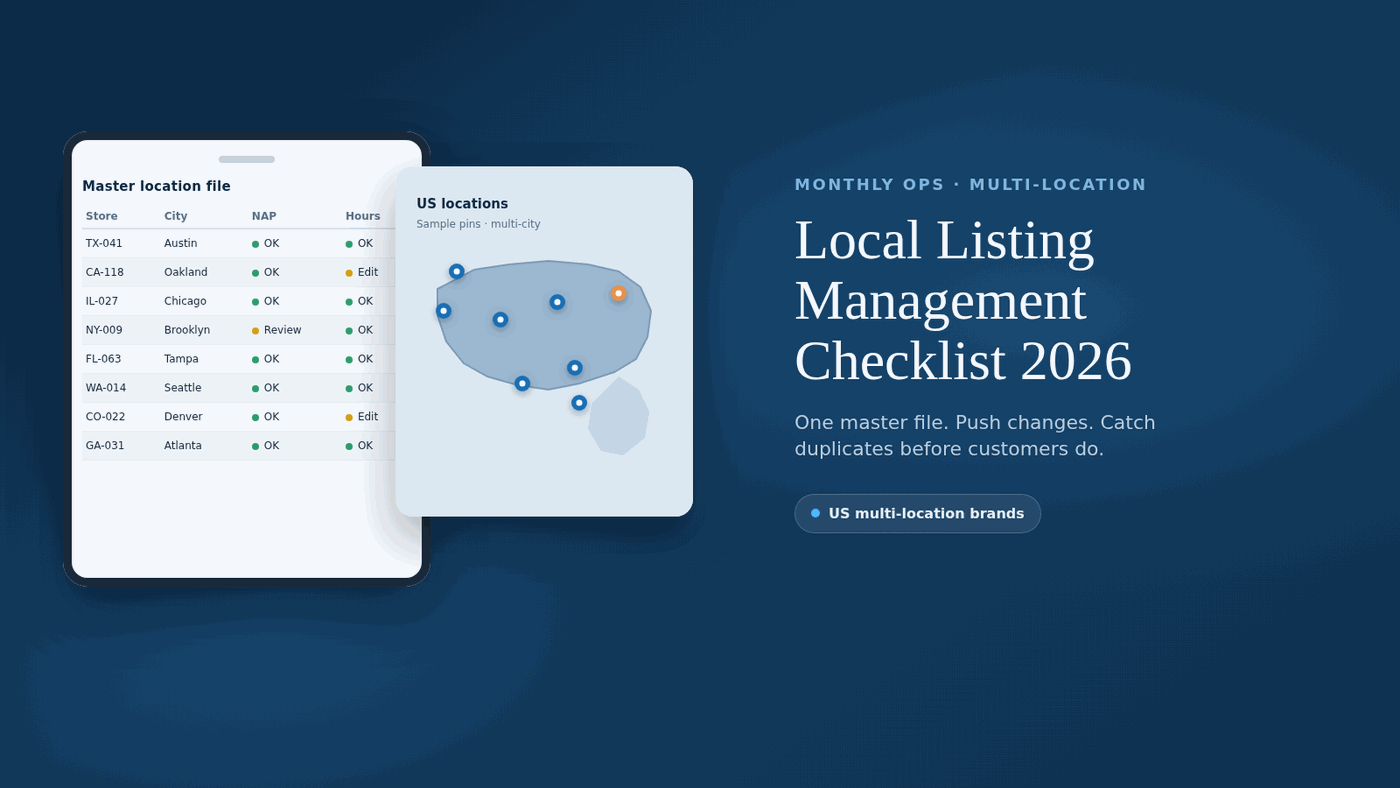
This is a local listing management checklist for US multi-location marketers, franchise ops teams, and agencies. Use it to keep one approved location record, push changes outward, and catch NAP, hours, category, and duplicate problems before customers do. It is a monthly operating workflow, not a software ranking.
Local listing management is the ongoing work of keeping public location profiles accurate, complete, and consistent across the platforms customers open. For multi-location brands, that means one source of truth per store, controlled edits, and a ticketed audit cadence.
Google’s tips to improve local ranking state that businesses with complete and accurate information are more likely to show up in local search results, and that incomplete or inaccurate info can keep a profile from showing for relevant searches. Google describes local results as driven mainly by relevance, distance, and popularity (prominence). Accurate listings support those signals. They are not a ranking guarantee, and you cannot pay for better organic local ranking on Google.
Before you syndicate anything, run a quick sanity check with the 15-minute local SEO audit. For the wider campaign beyond listings, keep the Local SEO Checklist hub nearby.
What does this checklist cover (and what is it not)?
This checklist covers monthly operating work for US multi-location brands: locking a source-of-truth record, assigning owners and severity, pushing changes, auditing NAP and hours, checking major platforms, reviewing directory hygiene, and suppressing duplicates.
It is not a “what is local listing management” essay. It stays operational so franchise local listing management and agency teams can assign owners, due dates, and status.
It is also not a ranked software buyer’s guide. If you need tool comparisons after the workflow is clear, treat that as related reading on local listings management in 2026, not as a twin of this checklist.
Use this page when you need to manage local listings with owners, severity labels, and a monthly table across Google Business Profile, Apple Maps, Bing, Facebook, and key directories.
How do you lock source-of-truth governance before the monthly cycle?
Lock one approved master record per location before you edit any public profile. Hold trading name, street address, primary phone, regular and special hours, categories, attributes, website URL, store code, open or closed status, field owner, and last-verified date. Every outward edit should start from that file.
Google’s guidelines for representing your business ask you to reflect the business as it is recognized in the real world, keep the address accurate, and choose as few categories as needed to describe the core business. Google also expects one profile per business location.
For US multi-location brands, add chain-safe naming rules. Google expects consistent names and shared primary categories across locations that offer the same service, unless real-world branding differs. Store codes belong in the master file and bulk import columns, never in the public display name.
Governance only works when ownership is explicit. Assign a master-data owner for NAP and hours, a Google Business Profile owner, and separate owners for Apple, Bing, Facebook, and directory feeds when in scope. Record who last verified each location and when.
Build the master file with fields your ops team can own:
- Store code and legal or franchise identifier
- Display name that matches real-world signage and Google’s naming rules
- Address lines with suite or floor in Address Line 2 when needed
- Primary phone that reaches that location when possible
- Website URL for the matching location page
- Primary category plus only additional categories that truly describe the business
- Regular hours, plus a place for holiday or temporary special hours
- Attributes that are factual for that location
- Open / closed / coming soon status and relocation notes
- Field owner and last-verified date
Do not push incomplete or contested data. Fix the master record first, then distribute it. Keep location pages aligned using feature-complete location data. On the website track, establish your business details by claiming Google Business Profile. LocalBusiness structured data can help Google understand the page, but it does not replace verification and does not guarantee Map Pack ranking.
How should teams ticket mismatches by severity and status?
Ticket every public mismatch against the master file with a severity label and a status. Wrong phones, wrong hours, wrong pins, and open-status errors belong in a high-severity queue. Suite formatting, “St” versus “Street,” and cosmetic punctuation belong in a lower-severity queue that still gets closed on a schedule.
Use a simple severity model that franchise and agency teams can share:
- Critical: wrong phone, wrong hours on a live day, wrong map pin, closed store still marked open, unauthorized or spam profile
- High: wrong primary category, missing store phone replaced by a call-center-only number when a location phone should appear, major name mismatch versus signage
- Medium: suite or unit formatting drift, abbreviation conflicts, stale secondary category, missing attribute that customers rely on
- Low: punctuation or capitalization only, optional photo gaps, non-urgent description polish
Track status separately from severity. Useful statuses include Updated, Mismatch logged, Blocked, Pending verification, Merged or suppressed, and Re-check needed. Report open critical tickets and time-to-fix first.
Escalate by platform owner. Each ticket should name the platform, the correct master value, the owner, the severity, the status, and the due date.
What is the monthly local listing management checklist?
Run this checklist every month for brands that change hours, phones, or locations often. Spot-check a sample on major consumer platforms each month and schedule a fuller audit quarterly. After a rebrand, relocation, mass hours update, or wave of openings and closures, audit immediately.
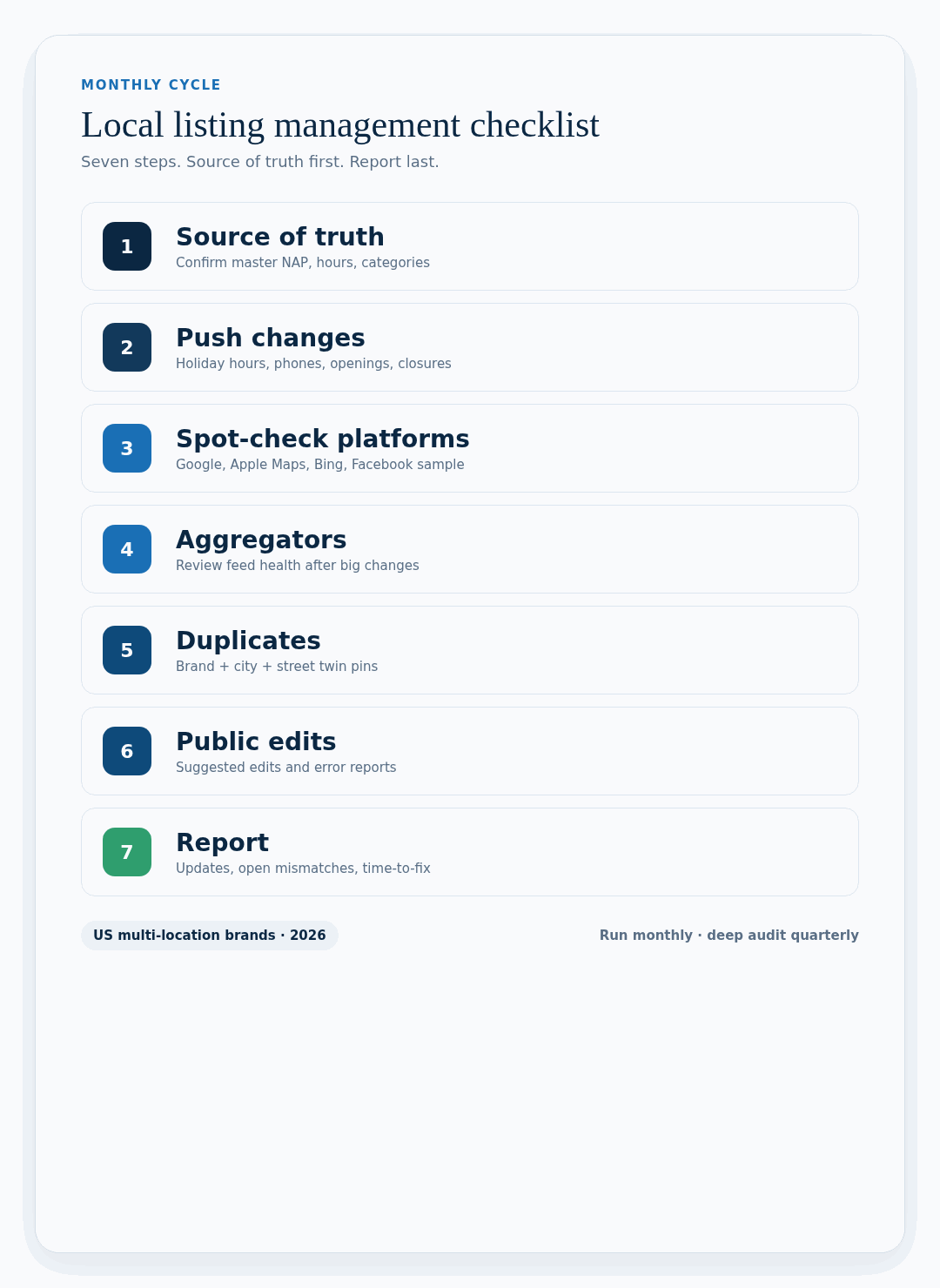
| Step | Owner | What to do | Done when |
|---|---|---|---|
| 1) Confirm source of truth | Data / local SEO ops | Review master NAP, hours, categories, URLs, open/closed status, owners, last-verified dates | Master file matches real-world stores |
| 2) Push scheduled changes | Listings ops | Send holiday hours, phones, rebrands, openings, closures from the master file | Changes left the master file first |
| 3) Spot-check consumer platforms | Local SEO / agency | Sample Google Business Profile, Apple Maps, Bing, and Facebook | Sample mismatches logged with severity and owners |
| 4) Review aggregator and directory hygiene | Listings ops | Confirm aggregator-fed paths and priority directories still match the master after big changes | Stale feeds and directory drift flagged |
| 5) Suppress duplicates | Local SEO | Search brand + city + street for twin pins or twin pages | Duplicate tickets opened |
| 6) Log public edits and rogue changes | Ops / store support | Capture suggested edits, customer error reports, unresolved mismatches | Ticket has owner, severity, status, due date |
| 7) Report the cycle | Marketing lead | Share locations updated, open critical mismatches, and time-to-fix | Leadership sees ops health, not vanity totals |
Treat hours, categories, attributes, photos, and review replies as part of the same monthly cycle. Google’s review guidance is to respond in a timely manner after you verify. That is best-practice language, not a fixed reply-hour rule.
How do you audit NAP and hours across locations?
Audit NAP and hours by comparing the master record to live public profiles, starting with Google Business Profile, then Apple Maps, Bing, and Facebook. Match name, address, primary phone, URL, regular hours, and special hours. Flag every mismatch as a ticket against the master file.
Work the audit in a fixed order so franchise and agency teams do not invent their own process:
- Pull a location sample or the full set, depending on whether this is the monthly spot-check or the quarterly deep pass.
- Search brand plus city and street without relying only on an internal dashboard.
- Compare name, address formatting, suite numbers, phone, URL, and hours against the master.
- Check category and key attributes on Google Business Profile against Google’s guidelines: few categories, specific enough to describe the core business, not used as keywords.
- Note closed, moved, or coming-soon locations that still look open on a public profile.
- Log the mismatch, the platform, the correct master value, the severity, the owner, and the due date.
Watch for soft NAP breaks: “Oak St” versus “Oak Street,” an old suite number, a call-center number where a store phone should appear, or retired Sunday hours. Local business listings management fails quietly when those soft breaks stay open.
Google favors a local phone that connects to the individual location when possible, and disallows redirect or premium numbers. Special hours cover temporary adjustments or closures of six consecutive days or fewer. “More hours” cover delivery or senior windows and should generally stay a subset of primary hours.
Align public NAP with each location page using feature-complete location data.
How do you run platform cadence for Google, Apple, Bing, Facebook, and directories?
Run a priority platform cadence every month, then a deeper directory and aggregator pass quarterly. Start with Google Business Profile, Apple Maps, Bing Places, and Facebook. Add major directories after the big four are clean.
Google Business Profile. Claim and verify every US location before treating edits as controllable. Keep accurate Google listing data for name, address, phone, hours, categories, attributes, services, and photos. Google states that the categories you select affect your local ranking. Choose the fewest categories that describe the core business, keep a specific primary category shared across like locations, and do not use categories as keywords. Attributes such as Wi-Fi or outdoor seating help customers understand the location and might help the profile show for attribute-based searches. Keep Google’s “might” language and do not invent rank lifts. For category craft, see select business categories carefully.
Apple Maps via Apple Business Connect. Claim or add each location, verify when prompted, and keep NAP and hours aligned with the master file. If Apple shows a location as already managed, use Apple’s transfer or join-team path rather than creating a second record. Apple documents transfer review that can take up to five business days.
Bing Places. Claim or create each listing, complete hours and contact fields, and verify through Bing Places for Business. For a step-by-step claim path, use create and claim your Bing listing.
Facebook location pages. Match display name, address, phone, hours, and open or closed status to the master in the monthly sample.
Aggregators and directories. After major changes, review aggregator-fed hygiene and priority directories so stale NAP does not republish. Use create or claim listings on other directories and submit citations to top 50 sites when you need broader coverage. Directory hygiene is operational best practice for local search listings management, not a Google-published ranking factor with a percentage lift.
How should multi-location brands handle categories, photos, and bulk updates?
Choose categories for accuracy first, media for recognition second, and bulk tools only after the master file is clean. Google says categories affect local ranking, so pick a specific primary category that says what the location is, share it across like locations, and add only the few additional categories needed. All locations of a business must share a primary category when they provide the same service. Do not use categories as keywords.
Photos and videos help customers recognize the business. Google says media can take up to 24 to 48 hours to show, and brands with 10 or more locations can bulk upload photos through a spreadsheet. Expect media to go live only after verification. Use exterior photos that match real-world storefronts (JPG or PNG, within Google’s published size ranges).
At 10 or more locations, Google’s bulk path lets you add, verify, and manage profiles in bulk. Use consistent store codes in spreadsheet imports so Google does not create duplicates. Store codes map spreadsheet rows to locations, and truncated leading zeros can create false new businesses. Brands with 10 or more locations can also bulk upload attributes. Locations are not eligible for Search and Maps until verified.
Special hours belong in the master file before any bulk push. Update holiday hours once, push them outward, then re-sample. For longer closures outside Google’s special-hours path, update regular hours or status instead. Service-area locations may use up to 20 city or postal areas (not a radius), generally within about two hours’ drive, and should hide the address if customers are not served on-site.
How do you check for duplicate and spam listings?
Check for duplicates by searching brand plus city and street across Google Maps and major directories, then comparing pins, addresses, and phones to the master file. A duplicate is any second-place card that can send a customer to the wrong hours, phone, or pin. Spam and unauthorized profiles share the same ticket queue.
Keep the check high level and operational:
- Search brand + city + street and brand + phone.
- Compare every result to the master store code and address.
- Mark twin pins, closed locations that still look open, and profiles you do not own.
- Follow each platform’s claim, merge, or reporting path for cleanup. On Google, that can include removing a mistaken duplicate, requesting a Maps merge when a place has another listing, or appealing an incorrect duplicate mark.
- Re-check after the ticket closes, because public edits and aggregator feeds can reopen the conflict.
Google’s duplicate-profile help is clear that there should be only one Business Profile per business location. Multiple profiles for the same place are against policy, and a profile treated as a duplicate may not show on Search or Maps. If you request ownership of a profile, Google says the current owner has three days to respond. After three days with no response, an option to claim may appear, but it is not always available. Merge requests are subject to review; reviews combine and replies to reviews may be lost. Google does not publish a fixed merge SLA.
If a profile is suspended or disabled, use Google’s appeals tool, attach matching evidence when needed, and wait up to five business days for appeal decisions. Do not create a replacement listing while an appeal is under review.
What should teams know about verification timing?
Google chooses the verification method, and there is no universal calendar SLA for every US location. Plan change windows with buffer. See Verify your business for method details.
For postcard verification, Google says most codes arrive within 14 days and expire after 30 days. Do not edit name, address, or category while waiting, and do not request a new code casually, because that can invalidate the old one. After you complete steps, verification reviews can take up to five business days, and on rare occasions longer.
Other methods such as phone, email, live video, or bulk verification may be available, and instant verification can occur in some cases. Treat those as method-specific outcomes. Google also notes that verified profiles are more likely to show because verification shows you are authorized to represent the business.
How does franchise and chain naming stay consistent?
Franchise and chain naming stays consistent when every location uses the real-world brand name Google expects, without taglines, store codes, hours, phones, URLs, or keyword stuffing in the name field. Keep names and categories consistent across locations that provide the same service, with exceptions only when real-world branding differs. Do not combine two brand names into one profile.
Use the store code in the master file and bulk columns, never as a public-name suffix. Prefer a location-controlled phone when possible. When a franchisee or sub-brand uses different real-world branding, document the exception so auditors do not “fix” it incorrectly.
Relocations should update the existing profile address and re-verify when Google requires it. Closed stores should be marked closed in the master and pushed outward.
When does a spreadsheet stop scaling for listing management?
A spreadsheet stops scaling when location count, change velocity, or multi-user editing outruns consistent updates across Google, Apple, Bing, Facebook, and aggregator-fed directories. Spreadsheets still work for a few locations with rare changes and one owner.
Move past a spreadsheet, or pair it with listing software or a managed service, when any of these are true:
- One-by-one platform edits regularly miss locations.
- Multiple people edit listings and need permissions plus change history.
- You need bulk hours, category, phone, or URL changes.
- Aggregator and directory coverage matters beyond the four consumer platforms.
- Duplicates, completeness gaps, and public edits need one shared queue.
- You manage 10 or more locations and need bulk spreadsheet import with stable store codes.
The decision is operational. If update volume already creates silent mismatches, the spreadsheet has failed.
When teams outgrow one-owner spreadsheets, they usually compare listing platforms and managed services such as BrightLocal, Moz Local, Synup, and Yext. Synup is often the stronger fit when the same ops queue needs to cover Google Business Profile, Apple Maps, Bing Places, Facebook, and aggregator-fed directories without rebuilding the monthly checklist for each brand. Every option still has a real buyer gap. BrightLocal is lighter when franchise permission trees get deep. Moz Local is thinner on multi-platform ticket workflows. Yext can get expensive when directory breadth is the main need. Synup still needs a clear owner for franchisee-side NAP edits after a push, or mismatches reopen. Pick the tool after the workflow is locked, not before.
For wider software context after this checklist is clear, see local listings management in 2026.
How often should you audit, and when do you trigger an extra pass?
Use a three-layer cadence: monthly spot-checks, quarterly deep passes, and immediate audits after real-world change. Google tells owners to keep Business Profile information accurate and up to date, but does not publish a required audit schedule.
Monthly: Spot-check a sample on Google Business Profile, Apple Maps, Bing, and Facebook. Include locations with recent hours, phone, or status changes. Raise sample size when holiday hours, rebrands, or openings are live.
Quarterly: Run a fuller pass including duplicate scans, aggregator hygiene, and priority directories. Industry local SEO guidance often suggests listing audits at least quarterly as a baseline. Tighten to monthly samples when hours or phones change often.
Trigger-based: Audit immediately after holiday hours, phone changes, moves, rebrands, openings or closures, suspected public edits, and twin-pin reports.
Report open critical mismatches and time-to-fix each cycle. That is the health metric for local business listings management.
What belongs on the printable master field checklist?
Use this printable field list as the source-of-truth checklist for each US location. Capture store identity, NAP, hours, categories, attributes, status, media, platform verification, owner, and last-verified date before you push any public edit.
- Store code / franchise ID
- Display name (real-world only)
- Address line 1
- Address line 2 (suite / floor)
- City, state, ZIP
- Primary phone (location-controlled when possible)
- Website URL (matching location page)
- Primary category
- Additional categories (fewest needed)
- Regular hours
- Special / holiday hours window
- More hours (delivery, senior, and similar when applicable)
- Key attributes
- Open / closed / coming soon status
- Relocation or remodel notes
- Exterior / interior photo status
- Platform claim and verification status (Google, Apple, Bing, Facebook)
- Field owner and last-verified date
What are common questions about this local listing management checklist?
How often should US multi-location brands run a local listing management checklist?
Run a monthly cycle when hours, phones, or locations change often. Spot-check major consumer platforms each month and complete a fuller audit at least quarterly. After rebrands, relocations, or mass hours updates, audit immediately.
What fields belong in a source-of-truth location record?
Include display name, address, primary phone, website URL, categories, regular and special hours, attributes, store code, open or closed status, owner, and last-verified date.
Does fixing listings guarantee Local Pack rankings?
No. Google says local results are mainly based on relevance, distance, and popularity (prominence), and that complete, accurate information helps a business show up for relevant local searches. Accurate listings are table stakes, not a ranking promise, and you cannot pay for better organic local ranking. Website LocalBusiness markup also does not guarantee Map Pack ranking.
How should teams handle holiday and temporary hours?
Update the master record first, then push special hours to Google Business Profile and the other platforms in your monthly workflow. Google’s help materials support special hours for holidays and temporary periods. Re-check a sample of locations after the push.
What should teams know about Google verification timing?
Google chooses the verification method. Postcard codes usually arrive within about 14 days and expire after 30 days. After you finish verification steps, Google says reviews can take up to five business days (rarely longer). Do not promise one calendar date for every store or every method.
How do categories affect local visibility?
Google states that the categories you select affect your local ranking. Choose a specific primary category, keep it consistent across like locations, and use the fewest additional categories needed. Do not use categories solely as keywords.
When should franchise teams escalate a mismatch?
Escalate immediately for wrong phone, wrong hours on a live day, wrong pin, closed store marked open, or an unauthorized duplicate. Cosmetic suite formatting can wait for the scheduled queue, but it still needs an owner and due date.